SaySpark is still in development and not yet released — check back soon.

Downloads

SaySpark on desktop and mobile.

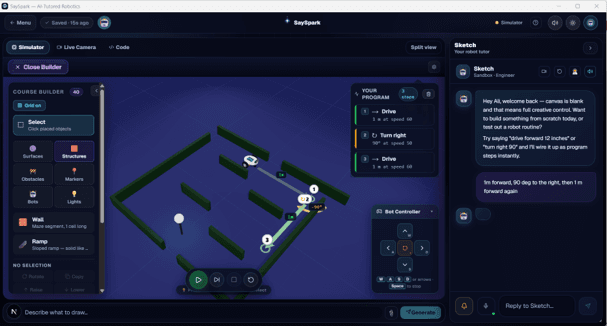
The desktop studio runs the voice AI tutor and 3D simulator. The mobile companion sets up your robot's Wi-Fi and keeps it paired.

SaySpark desktop studio: 3D simulator with course builder and tutor chat
Desktop Studio
Windows 10 / 11

The full voice AI tutor and 3D simulator, bundled into one installer. No setup, no dependencies.
Version 1.0 · Free to download · Updates automatically

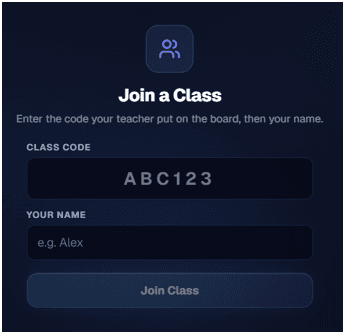
Spark Companion mobile app join-a-class screen
Mobile Companion
Android · soon

Pair Spark Mini and set up its Wi-Fi in seconds, straight from your phone — then hand the robot to the student.

Google Play — coming soon

What's included

Everything in one download.

Voice AI tutor
Talk to Spark — guidance that adapts to your level.
3D simulator
Try every challenge with or without the robot.
Just talk
Voice-controlled — no menus, no setup wizard.
Robot bridge
Wi-Fi link to your physical Spark Mini robot.
Challenge library
20+ guided challenges across 5 domains.
Works offline
The simulator runs with no internet.

Requirements

Desktop system requirements

OSWindows 10 or 11 (64-bit)
RAM4 GB minimum, 8 GB recommended
Disk~600 MB for full install
NetworkRequired for AI tutor (robot runs offline)
HardwareOptional — full simulator included

Don't have a robot yet?

The simulator runs every challenge on-screen — no hardware required to start.

Join the waitlistWatch a demo